No vendor lock-in
Reuse an old tablet or the phone you already have. Any modern browser works: Android, iPad, phones or another computer.
Install LibreShard on your PC. Windows and Linux are supported; macOS is experimental.
Scan the QR code with your tablet. The panel opens in its browser: there’s no app to install on the tablet.
Tap. The PC presses the keys for you, in the app you’re using.
No vendor lock-in
Reuse an old tablet or the phone you already have. Any modern browser works: Android, iPad, phones or another computer.
Shards
Each panel is a folder with a web page and a manifest. Install one by dropping a zip on the window, or build your own and watch the tablet reload as you save.
Safe by design
The PC presses only the keys a shard declared and you approved, after a review that flags dangerous shortcuts. Shards can’t reach the internet, your files or each other.
Only where it belongs
Limit a shard to the apps it’s meant for, so a tap never fires a shortcut into the wrong program.
100% local and private
No account, no telemetry. Everything stays on your network.
English and Spanish
The app follows your system language, or the one you pick in Settings.
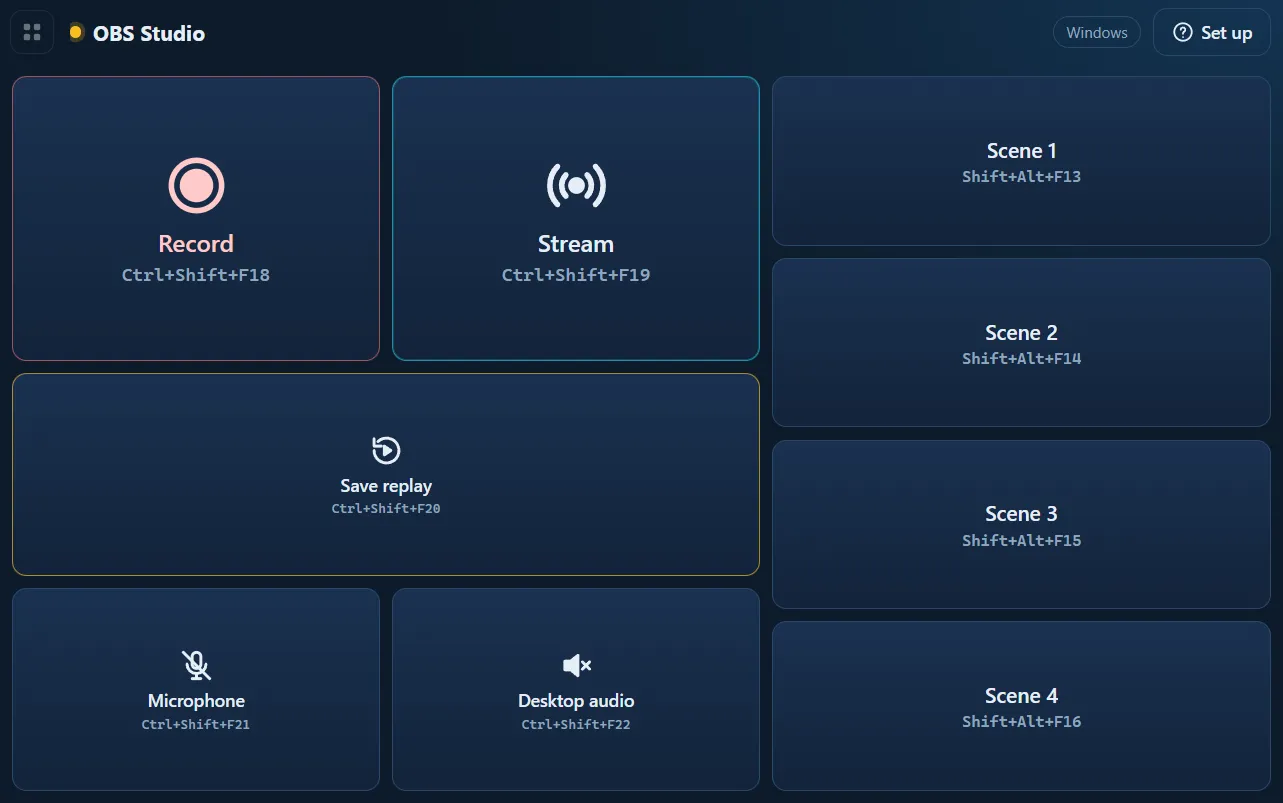
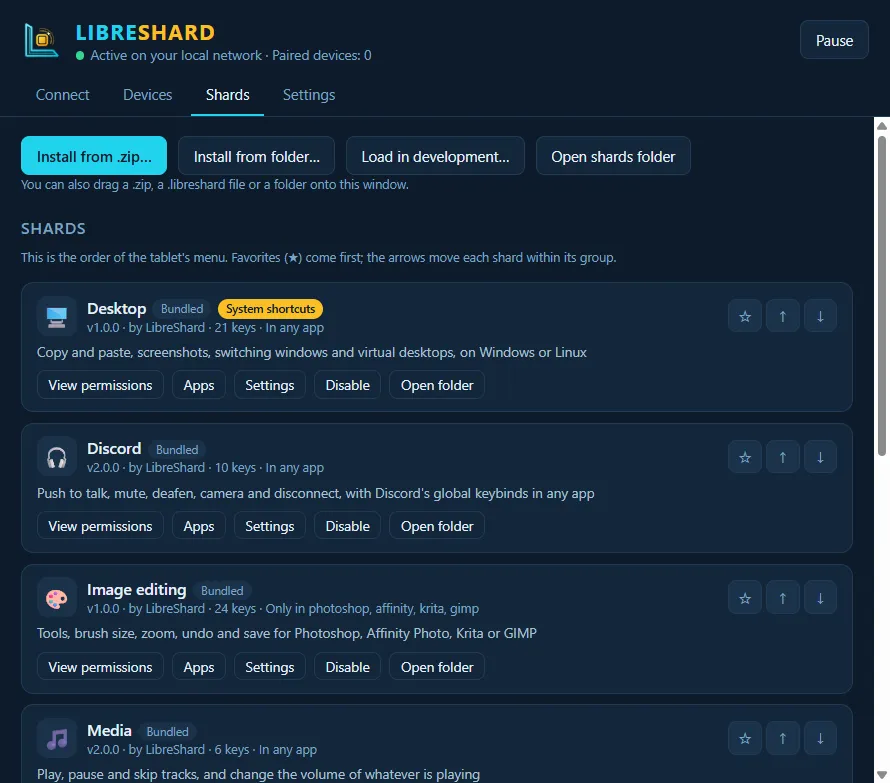
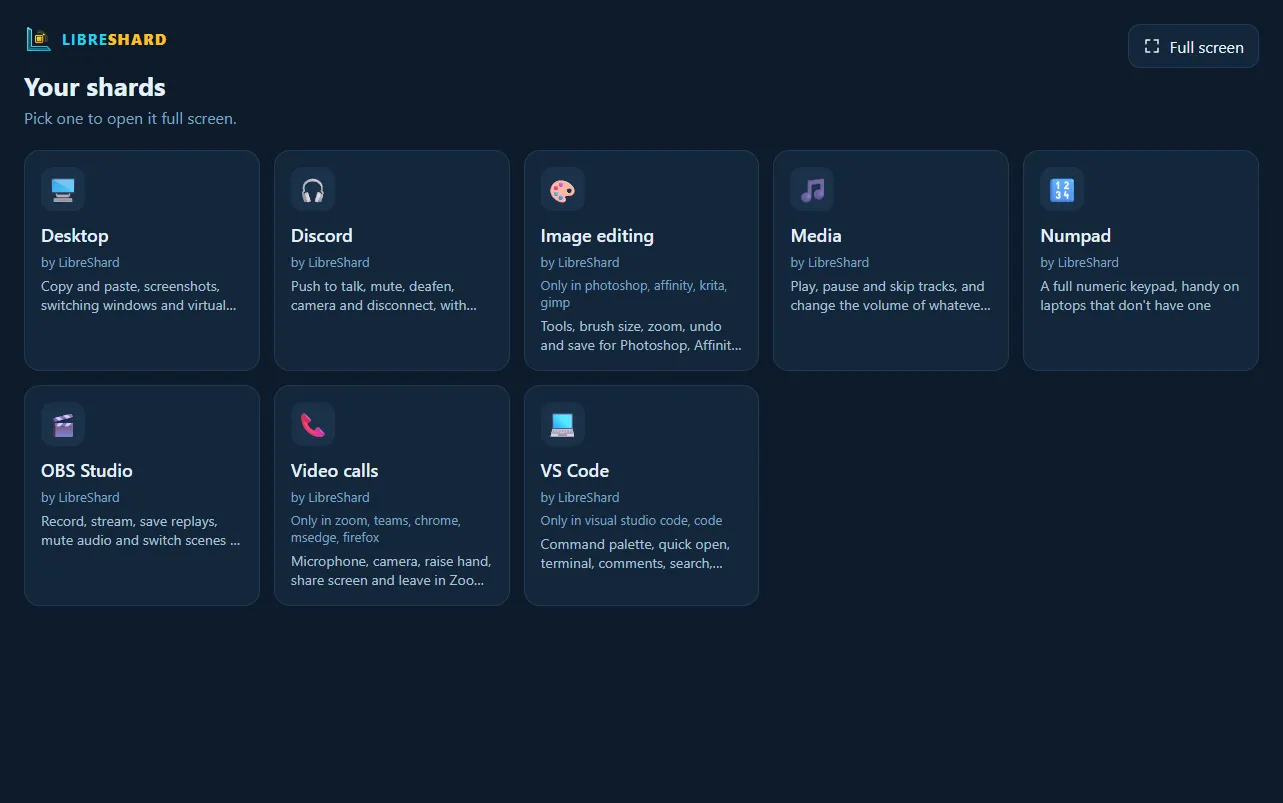
LibreShard comes with eight shards: Media, Numpad, Image editing (Photoshop, Affinity Photo, Krita, GIMP), Video calls (Zoom, Teams, Meet), Desktop (windows and virtual desktops), Discord, OBS Studio and VS Code. More are coming from the community, like the SC MFD panels for Star Citizen.
LibreShard is free software under the Apache License 2.0. Bug reports, shards, translations and code are welcome: see how to contribute and the roadmap.